How to Add a WhatsApp Button to Your Website (Free HTML Code)
By Nishant · · 5 min read
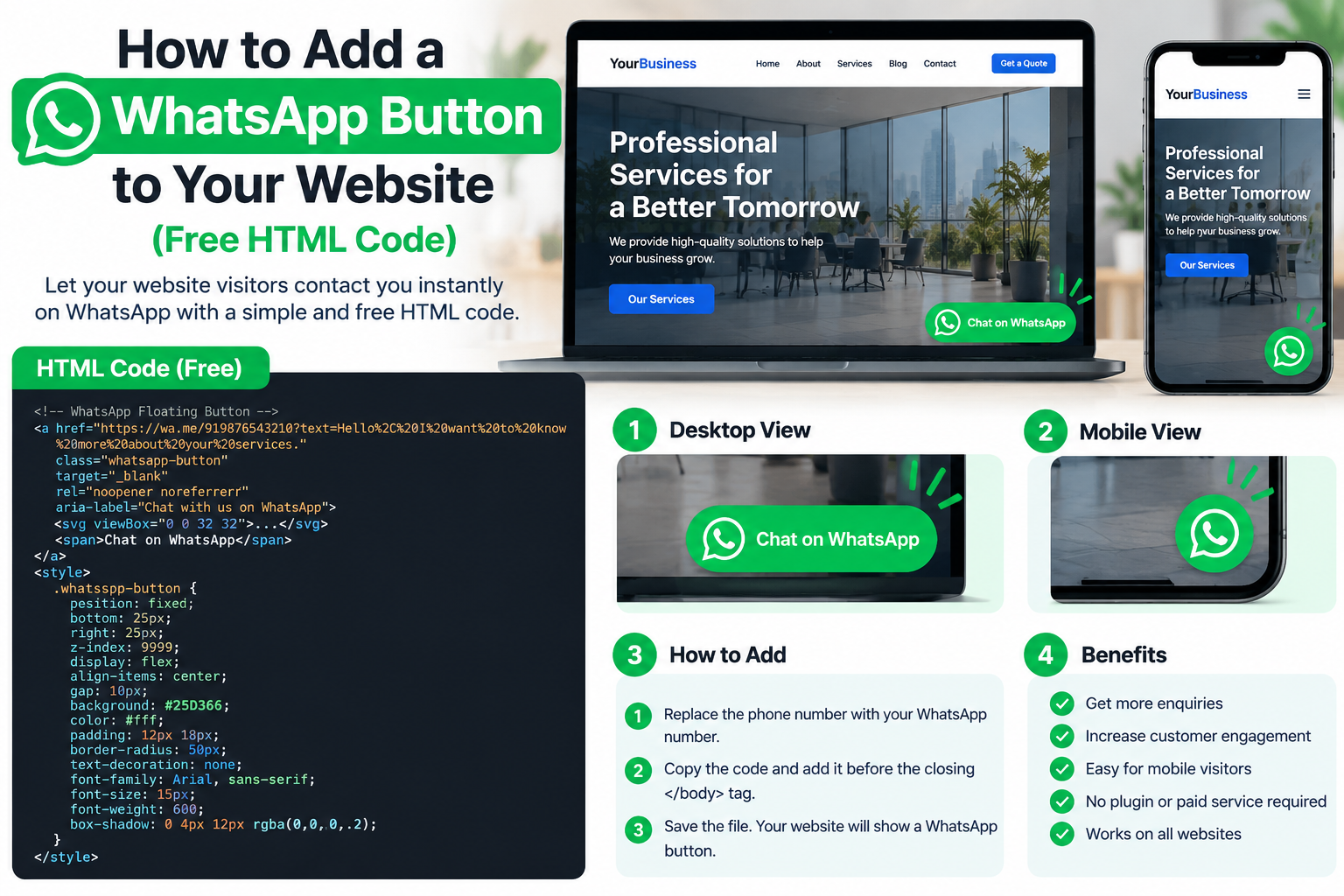
For most Indian small businesses, WhatsApp is where enquiries turn into orders. A WhatsApp button on your website lets a visitor start that chat in one tap instead of copying your number. This guide gives you working code you can paste into any HTML website, explains each part, and covers the mistakes that make the button fail.
The short answer
A WhatsApp button is just a link to wa.me followed by your number in international format, without the plus sign, spaces or leading zero. Clicking it opens WhatsApp on a phone, or WhatsApp Web on a computer, with a chat to that number ready to go.
<a href="https://wa.me/919876543210?text=Hi%2C%20I%20want%20to%20know%20more" target="_blank" rel="noopener">Chat on WhatsApp</a>Replace 919876543210 with your own number: 91 is India's country code, followed by your 10-digit mobile number.
Step 1: Build your WhatsApp link
- Number format: country code + number, digits only. 98765 43210 becomes
919876543210. - Pre-filled message (optional): add
?text=and your message, URL-encoded. Spaces become%20and commas become%2C. A pre-filled message like “Hi, I want a quote for a tempo traveller” tells you which page the customer came from. - Use a WhatsApp Business number if you can. It lets you set a greeting message, quick replies and business hours, so a visitor who messages at night still gets a reply.
Step 2: Add a floating WhatsApp button (HTML + CSS)
A floating button stays in the bottom-right corner on every page, which is where mobile users expect it. The icon below is a simple chat bubble; you can swap in the official WhatsApp icon from Meta's brand resources. Paste this just before the closing </body> tag:
<a href="https://wa.me/919876543210?text=Hi%2C%20I%20want%20to%20know%20more"
   class="wa-float" target="_blank" rel="noopener"
   aria-label="Chat with us on WhatsApp">
  <svg viewBox="0 0 32 32" width="28" height="28" aria-hidden="true">
    <path fill="#fff" d="M5 5h22v16H12l-7 6z"/>
  </svg>
</a>
.wa-float{
position:fixed; right:18px; bottom:18px; z-index:999;
width:56px; height:56px; border-radius:50%;
background:#25D366; display:flex; align-items:center; justify-content:center;
box-shadow:0 4px 12px rgba(0,0,0,.25);
}
.wa-float:focus-visible{outline:3px solid #075E54; outline-offset:3px}
@media (max-width:480px){ .wa-float{right:14px; bottom:14px} }The CSS goes in your stylesheet or inside a <style> tag in the <head>. The aria-label gives screen-reader users a readable name for an icon-only button.
Step 3: Add a WhatsApp button inside your page content
Besides the floating icon, put a clear text button next to your main call to action, for example under pricing or in the hero. Visitors who are ready to buy look for it there.
<a href="https://wa.me/919876543210?text=Hi%2C%20I%20want%20a%20quote" class="btn btn-wa">Get a quote on WhatsApp</a>Adding a WhatsApp button in WordPress
In WordPress you can paste the same HTML into a Custom HTML block for an in-page button. For a floating button across the site, add the HTML to your theme's footer (Appearance → Theme File Editor or a child theme) or use a lightweight “insert headers and footers” plugin. Avoid heavy chat-widget plugins that load extra scripts on every page and slow the site down.
Common mistakes
- Adding the + sign, spaces or a 0 to the number in the link.
wa.me/+91 98765…will not work. - A personal number that is switched off or shared with family. Use a dedicated business number.
- Covering other buttons. On mobile, check the floating button does not sit on top of a cookie bar, chat widget or “Back to top” button.
- No reply plan. A button that leads to an unanswered chat loses the customer. Set a greeting and away message in WhatsApp Business.
Skip the coding
Every template on Web Template Hub already includes call and WhatsApp buttons that stay visible on mobile. You only change the number. Browse the website templates for Indian businesses, try one of the free templates, or read how to edit an HTML website template.
Frequently asked questions
Is a WhatsApp button on a website free?
Yes. A wa.me link is free to use and needs no API or plugin. Only the WhatsApp Business API, used for automated messaging at scale, is paid.
Why does my WhatsApp button open the wrong number or show an error?
The number in the link must be digits only with the country code, for example 919876543210. Remove any plus sign, spaces, dashes or leading zero.
Can I add a default message to the WhatsApp button?
Yes. Add ?text= followed by your URL-encoded message to the link, for example ?text=Hi%2C%20I%20want%20a%20quote.
Does a WhatsApp button work on desktop?
Yes. On a computer it opens WhatsApp Web or the desktop app with the chat ready.